Using Your Spellbook and Magic
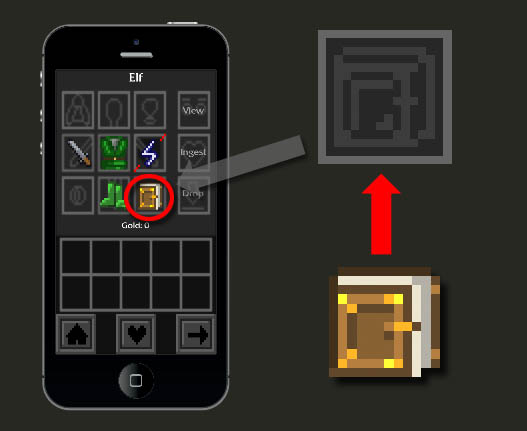
To cast magic you will need to find the spellbook. The spellbook item must be placed in the inventory slot for the spellbook. Once equipped, your character’s left hand will show the symbol of the spell that is loaded and ready to cast.
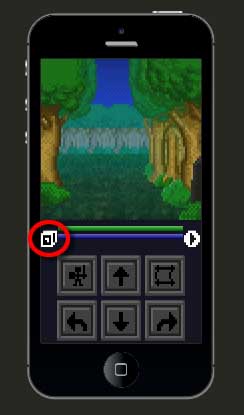
On the main screen, the white spellbook button will now be visible. You may attempt to cast your spell. If your blue magic meter has enough energy to cast the spell, it will trigger. However, this does not guarantee success. Some spells cannot be used to target innocent characters (non-player characters that are good). Additionally, certain spells require that the area in front of you be clear.
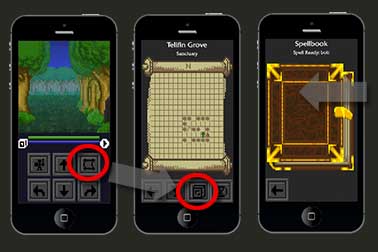
The player stores all of their maps, spellbooks, and quest logs in one place. To change a spell or read about what a spell does, swipe left in the spellbook menu to browse your available spells.